Home / Can I run it / Microsoft Flight Simulator (2020) 40th Anniversary Edition

Microsoft Flight Simulator (2020) 40th Anniversary Edition system requirements

Can your PC run it? Pick your hardware below for a verdict and estimated fps.

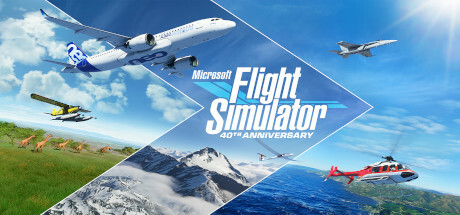
Microsoft Flight Simulator (2020) 40th Anniversary Edition cover art
Released Aug 25, 2026Simulation150 GB storageSteam

Detecting only reads the name your browser reports. Nothing is uploaded.

Estimate · 1080p HighPick your hardware
?FPS

Pick your hardware

Choose a game, a graphics card and a processor to see your estimate.

Microsoft Flight Simulator (2020) 40th Anniversary Edition needs at least NVIDIA GTX 770 | AMD Radeon RX 570 and Intel i5-4460 | AMD Ryzen 3 1200, 8 GB of RAM and 150 GB of free storage. For 60 fps on High at 1080p, aim for a GeForce GTX 970 or better.

Updated October 4, 2026

What it takes to run Microsoft Flight Simulator (2020) 40th Anniversary Edition

TargetGraphics cardProcessorMemory
MinimumNVIDIA GTX 770 | AMD Radeon RX 570Intel i5-4460 | AMD Ryzen 3 12008 GB
RecommendedNVIDIA GTX 970 | AMD Radeon RX 590Intel i5-8400 | AMD Ryzen 5 1500X16 GB
60 fps, 1080p HighGeForce GTX 970 or betterRyzen 3 2300X or better16 GB
60 fps, 1440p HighGeForce GTX 1660 Super or betterRyzen 3 2300X or better16 GB
60 fps, 4K HighRadeon RX 6600 XT or betterRyzen 3 2300X or better16 GB

The first two rows are the publisher's numbers. The rows below are our own estimates from the scoring model.

About Microsoft Flight Simulator (2020) 40th Anniversary Edition

Microsoft Flight Simulator (2020) 40th Anniversary Edition was released on August 25, 2026. Steam files it under Simulation. It needs 150 GB of free storage, which is a large install, so check your drive before you buy.

How to get the best frame rate in Microsoft Flight Simulator (2020) 40th Anniversary Edition

The publisher's minimum for Microsoft Flight Simulator (2020) 40th Anniversary Edition is NVIDIA GTX 770 | AMD Radeon RX 570 with Intel i5-4460 | AMD Ryzen 3 1200, and the recommended hardware is NVIDIA GTX 970 | AMD Radeon RX 590. We treat the recommended hardware as the setup that holds about 60 fps at 1080p on High.

In our estimates a GeForce GTX 970 is about the weakest card that holds 60 fps on High at 1080p, a GeForce GTX 1660 Super does the same at 1440p, and a Radeon RX 6600 XT at 4K. Cards below that can still play the game, at Medium or Low.

Strategy and simulation games lean on the processor, especially late in a game when there is a lot to calculate. A faster graphics card will not fix a slow late game, but a faster CPU and more RAM will.

Best graphics card for Microsoft Flight Simulator (2020) 40th Anniversary Edition

Estimated fps at 1080p on High by graphics card, and the best 60 fps preset at each resolution.

90+ great60+ smooth40+ playable30+ low settingsbelow 30
Graphics card1080p1440p4K
GeForce RTX 5090Ultra 300+ fpsUltra 300+ fpsUltra 191 fps
GeForce RTX 5070Ultra 213 fpsUltra 153 fpsUltra 85 fps
GeForce RTX 4090Ultra 300+ fpsUltra 272 fpsUltra 151 fps
GeForce RTX 4070 SuperUltra 217 fpsUltra 156 fpsUltra 87 fps
GeForce RTX 4060Ultra 128 fpsUltra 92 fpsHigh 71 fps
GeForce RTX 3080Ultra 209 fpsUltra 151 fpsUltra 84 fps
GeForce RTX 3060Ultra 104 fpsUltra 75 fpsMedium 81 fps
GeForce RTX 3050Ultra 77 fpsHigh 77 fpsMedium 60 fps
GeForce RTX 2060Ultra 81 fpsHigh 81 fpsMedium 63 fps
GeForce GTX 1660 SuperUltra 60 fpsHigh 60 fpsLow 63 fps
GeForce GTX 1650Medium 76 fpsLow 74 fpsUnder 60 fps
GeForce GTX 1060 6GBHigh 63 fpsMedium 63 fpsUnder 60 fps
Radeon RX 9070 XTUltra 263 fpsUltra 189 fpsUltra 105 fps
Radeon RX 7800 XTUltra 202 fpsUltra 146 fpsUltra 81 fps
Radeon RX 6600Ultra 97 fpsUltra 70 fpsMedium 75 fps
Radeon RX 580High 60 fpsMedium 60 fpsUnder 60 fps
Arc B580Ultra 139 fpsUltra 100 fpsHigh 77 fps

The highest quality preset that still holds 60 fps. Estimates with a processor that does not limit the card.

Memory and processor

Memory

Minimum 8 GB, recommended 16 GB. 16 GB is the comfortable amount for current games.

Processor

A processor like the Ryzen 3 2300X meets the recommended CPU level. For many fps in fast games, a quick CPU matters as much as the graphics card. Check your pairing.

Questions about Microsoft Flight Simulator (2020) 40th Anniversary Edition

What are the minimum system requirements for Microsoft Flight Simulator (2020) 40th Anniversary Edition?

Minimum: Intel i5-4460 | AMD Ryzen 3 1200, NVIDIA GTX 770 | AMD Radeon RX 570, 8 GB of memory, 150 GB of free storage.

What are the recommended system requirements for Microsoft Flight Simulator (2020) 40th Anniversary Edition?

Recommended: Intel i5-8400 | AMD Ryzen 5 1500X, NVIDIA GTX 970 | AMD Radeon RX 590, 16 GB of memory.

What graphics card do I need to run Microsoft Flight Simulator (2020) 40th Anniversary Edition at 60 fps?

In our estimate a GeForce GTX 970 is about the weakest card that holds 60 fps on High at 1080p, and a GeForce GTX 1660 Super for 1440p.

How much RAM does Microsoft Flight Simulator (2020) 40th Anniversary Edition need?

The minimum is 8 GB and the recommendation is 16 GB. With less than the minimum the game may not start or will stutter badly.

How much storage does Microsoft Flight Simulator (2020) 40th Anniversary Edition need?

About 150 GB of free space, plus room for updates.

Can an RTX 3060 run Microsoft Flight Simulator (2020) 40th Anniversary Edition?

Our estimate for the GeForce RTX 3060 is about 145 fps on High at 1080p. Verdict: Yes, runs great.

Requirements from the game's Steam page. Powered by Steam. Not affiliated with or endorsed by Valve or the publisher.